Intelligence Try the demo

MSP billing reconciliation

See where service
outgrows billing.

FKD compares the users and devices you manage with the quantities on each agreement. See the gap, give it an owner, and check the fix with fresh evidence.

FKD Intelligence / Dashboard
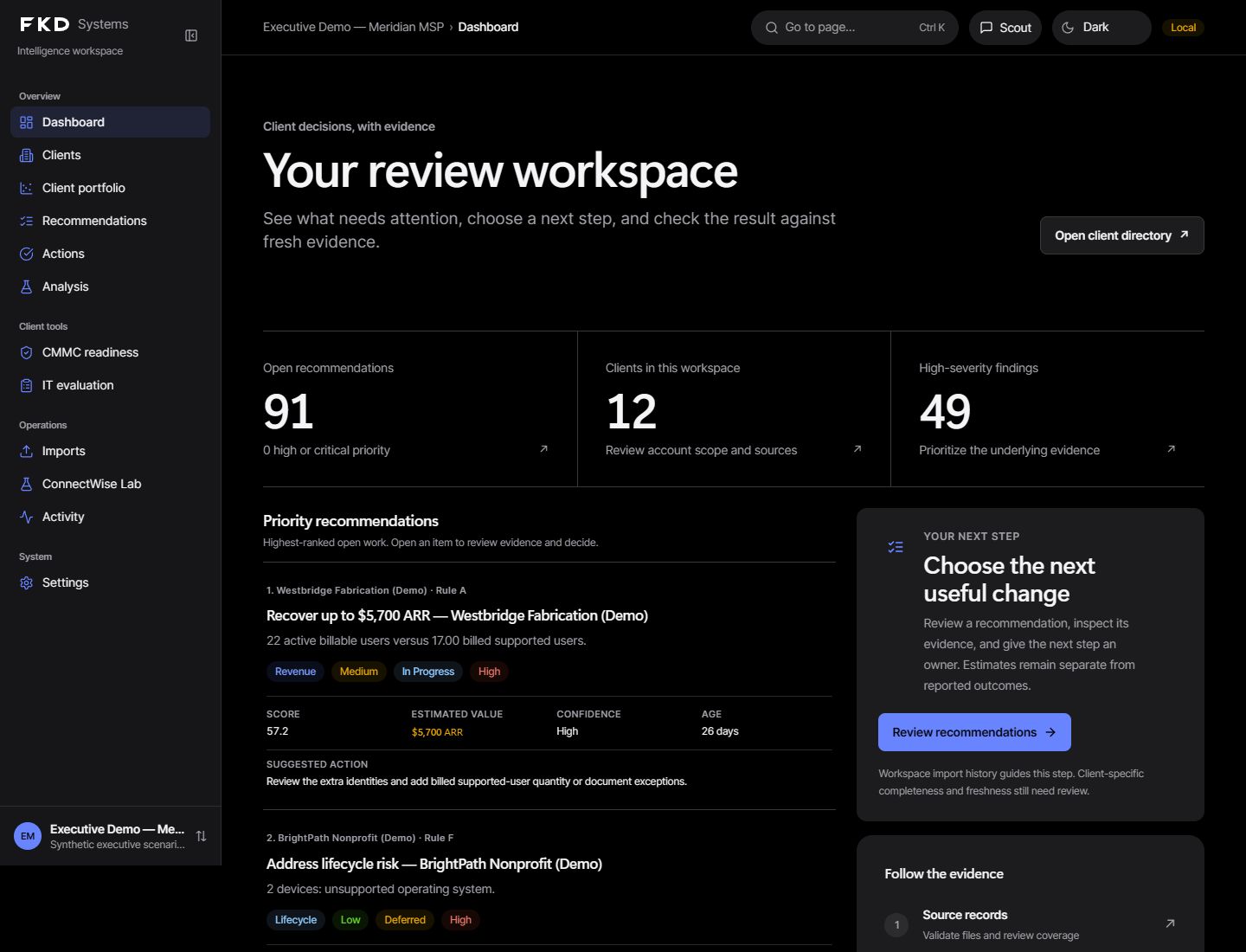
The Meridian MSP demonstration dashboard shows recommendations, including a supported-user discrepancy for Westbridge Fabrication.

Westbridge Fabrication Demo

5seats to
review

22 billable users − 17 agreement seats

Actual workspace · Fictional Meridian MSP portfolioOpen dashboard image

Product tour

Follow a billing gap
through the workspace.

Orchid Workshop, a fictional client, has five billable users and three seats on its agreement. Follow the operator from the first finding to the evidence that closes it.

01 Recommendation

Inspect the two-seat difference.

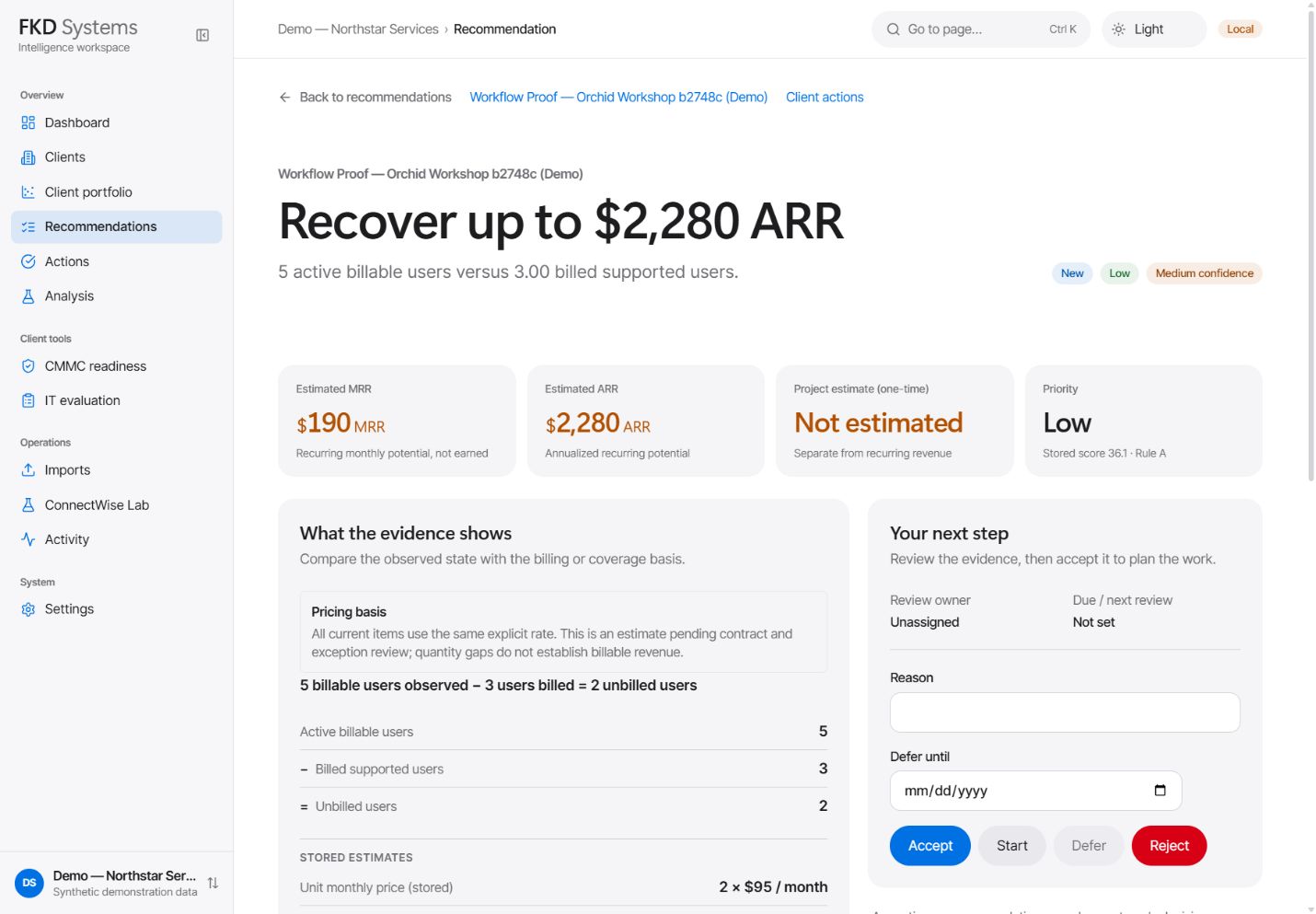
The finding links the five active users to the agreement line for three seats. The agreement lists a rate of $95 per seat, so the estimated difference is $190 per month. A reviewer still needs to check the contract terms.

Open finding image
Orchid Workshop’s recommendation shows five billable users, three covered seats, and a $190 monthly estimate.
02 Action

Record the work. Check the evidence.

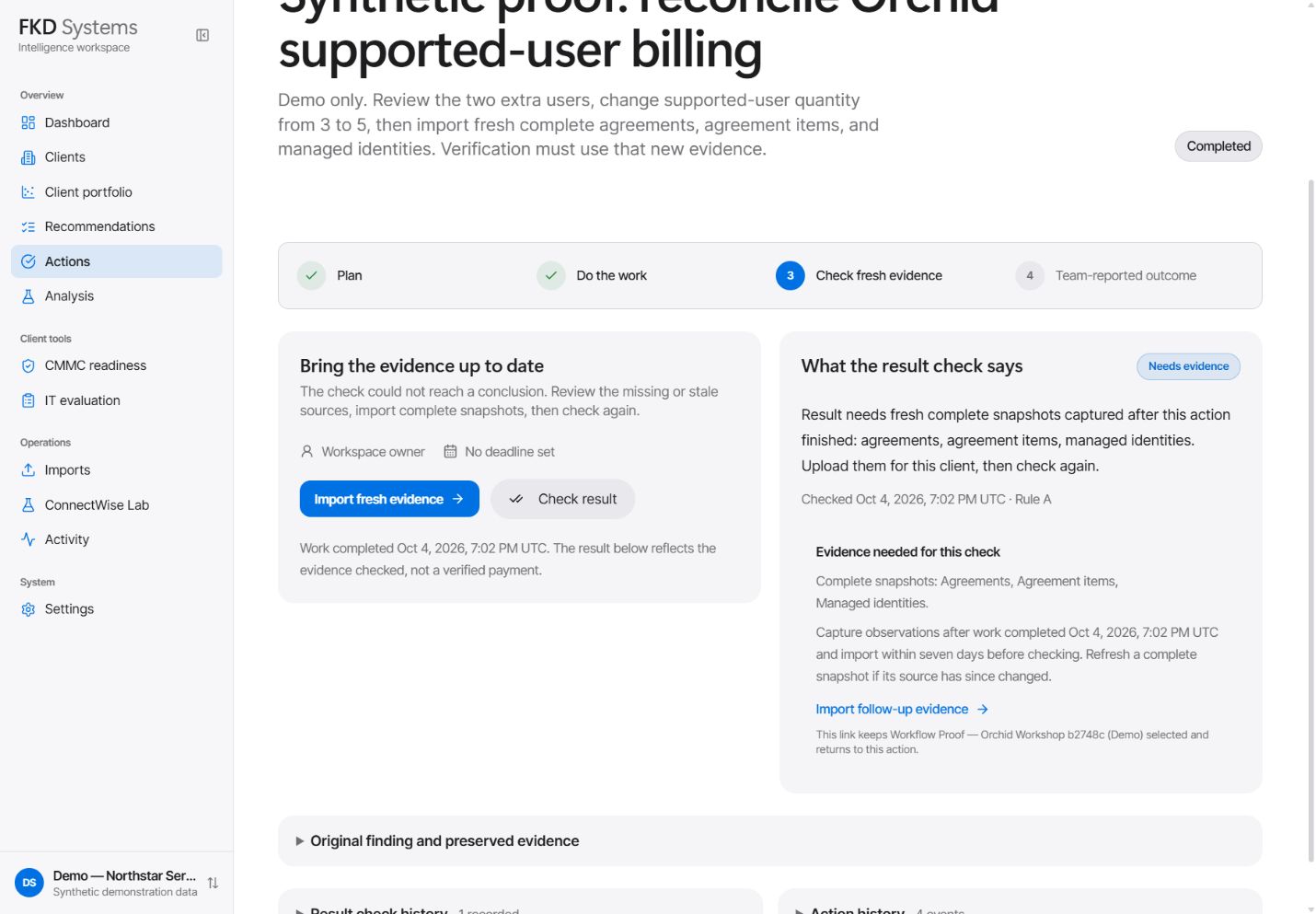
The operator records the agreement update and completes the action. FKD shows Needs evidence because the old exports cannot establish what changed after completion.

Open action image
The completed action still reads Needs evidence and lists the fresh snapshots the operator must import.
03 Result check

Verify the gap closed.

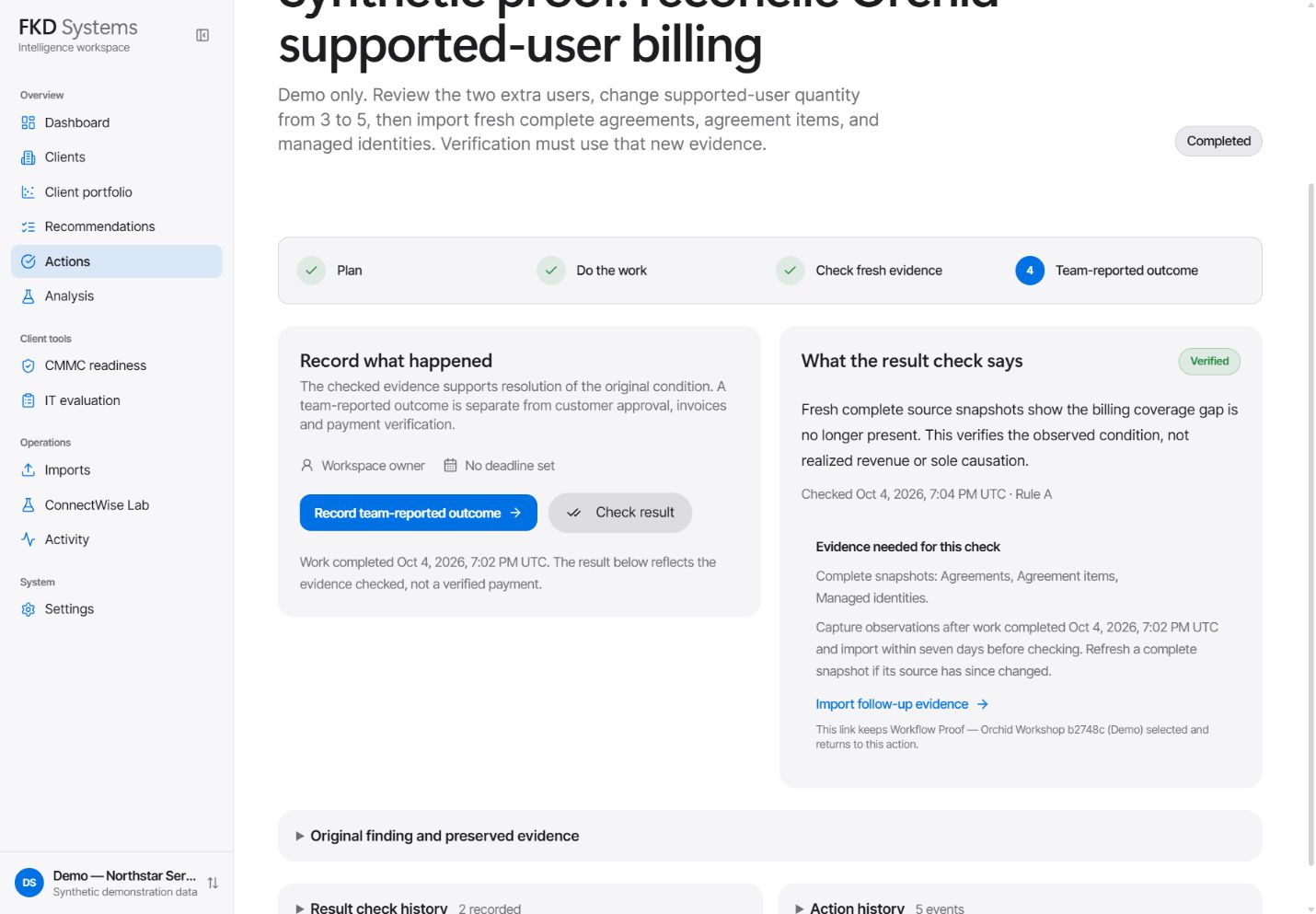
New, complete agreement and identity records now show coverage for all five users. FKD marks the quantity check Verified. Finance records invoice or payment evidence separately.

Open verified result image
FKD’s result check shows Verified after the new complete snapshots arrive.

Interactive demo

Take the reviewer’s seat.

Choose a user or device agreement. Change the rate evidence, then decide what the next export establishes. This simulation runs in your browser with fictional records.

Supported-user agreement review

23 billable users against 20 seats at $65 per month gives an estimated $195 monthly difference. A subsequent complete snapshot showing 23 covered seats verifies the quantity correction. A partial export leaves the result open.

Use the same user records.

Seven fictional CSVs and the import sequence for both billing periods.

Download sample CSVs

Product questions

Before your first review.

Explore the full workspace
What files do we start with?

For one client, gather the active agreement, agreement items, and managed identities or devices. Keep stable source IDs. FKD retains the source evidence behind the finding.

How are bundles and mixed rates handled?

FKD can flag the quantity gap. A dollar estimate requires a uniform explicit rate across the matching agreement items. The reviewer checks bundle terms, exclusions, and missing rates before assigning value.

Does FKD update the invoice?

Your operator applies the approved change in the existing billing system. The current product uses CSV exports and has no production invoice writeback. The ConnectWise and HubSpot development environments use fictional data.

What does a verified result establish?

Fresh complete records show the original count gap has closed. Inventory changes can also close a gap. Finance records invoiced, credited, or collected amounts based on its own evidence.

What else can an account team review?

The workspace covers license drift, service labor, tickets, renewals, portfolio pricing scenarios, and readiness working papers. Automated post-action checks currently cover supported-user and managed-device billing gaps.